
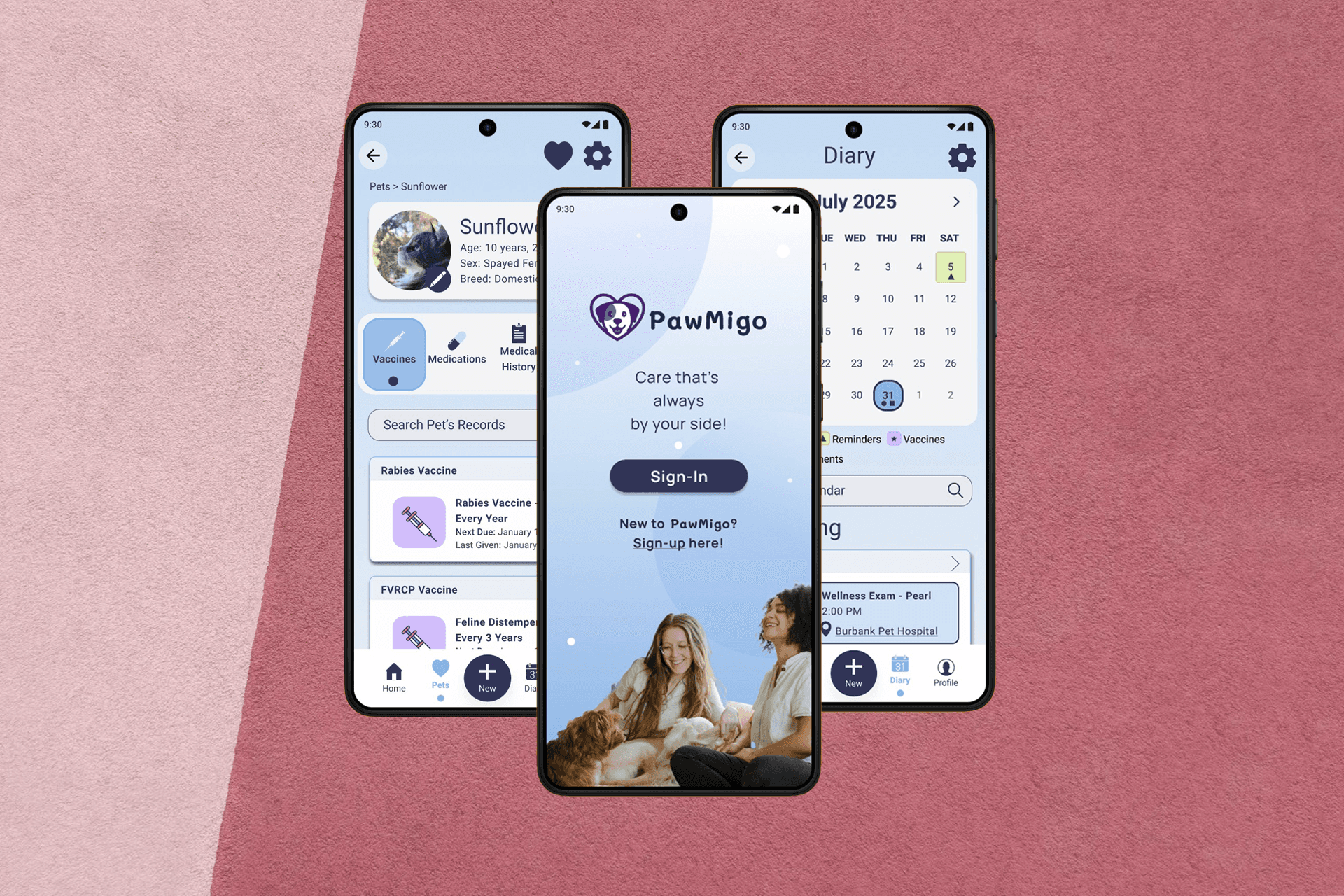
"PawMigo" is a proof of concept and an opportunity to flex my creative muscles alongside adhering to AA and AAA WCAG guidelines. It aimed to tackle the needs of pet owners traveling with pets or taking them to an emergency veterinary clinic. It was meant to be a pet health management application that links up with veterinary practice management software and makes it easy for pet owners to update, manage, and distribute pet health records as and whenever necessary.
Date:
June 1, 2025
Topic:
Accessibile App Design
Built in:
Figma
Process Overview
Problem
As a pet owner and retired veterinary professional, I know how much pet owners struggle with keeping track of medical histories, vaccination records, medications, and conditions. This struggle is amplified in emergency situations with vital information scattered across paper documents, emails, and multiple clinics. While many veterinary offices are slowly transitioning to fully digital record keeping, but not all offices use the same software and not all important information is accessible to pet owners outside of clinic hours making sharing that information with an emergency hospital or specialist difficult at the best of times.
From market research and informal interviews conducted with pet owners and veterinary professionals at local clinics, I isolated the following key problems:
Fragmented pet health information
Poor preparedness for emergencies
Limited or disjointed communication between owners and veterinary teams
Difficulty coordinating care in emergencies and between different caregivers
Goals + Objectives
Primary Goal = create a user-friendly mobile experience that enables pet owners to manage pet care proactively and share accurate information safely and instantly during emergencies
Success Criteria:
Reduce time, effort, and cognitive load of providing accurate medical history
Increase owner confidence in emergency preparedness
Improve information accuracy for veterinary staff
Allow for customised record sharing to accommodate use in both emergencies and for user convenience (e.g. vaccine records for grooming appointments)
Target Users
Primary Users = Pet Owners
Secondary Users = Veterinary Professionals
The aim is to make sharing information as easy as possible for pet owners while still protecting user privacy. This has the secondary effect of aiding veterinary professionals in giving more accurate records and efficient communications in high stress situations.
Being able to quickly and easily share accurate pet health information particularly benefits owners of pets with chronic conditions, first time pet owners needing guidance, busy people managing multiple pets or with difficulty remembering or managing vaccinations and medications, and families sharing caregiving responsibilities.
User Research
After making initial connections during informal interviews at local clinics, I was granted permission to advertise for formal interviews with pet owners about their experiences at select clinics. This resulted in interviews with 23 pet owners across the midlands region of the UK and 12 interviews with pet owners from the midwest region of the United States. These participants also filled out demographics surveys and a majority consented to being contacted for usability testing.
From the interviews, four key insights arose:
Owners feel anxious during emergencies and fear they've forgotten important health information
Many rely on paper records, memory, screenshots, and emails
Information shared across family members is inconsistent and multiple family members may be responsible for taking pets to appointments
Users want to be able to share information quickly and have that information be accurate and easily accessible regardless of vet clinic's hours including vaccination records, lab results, and visit history
From these interviews, the following pain points were identified:
Searching for documents under stress
Difficulty locating important information
Difficulty updating pet information across multiple practices
Managing multiple pets
Vet offices can be slow to provide records when requested
When conducting market research, there were only a few options for veterinary practice management partner apps. Most of the apps were aimed at providing access to pet health information, but lacked access to test results, vaccine certificates, medication refills, and visit histories. The existing applications largely served as a way to message clinics with non-urgent requests, update owner account information, and see the dates of visits but not summaries. In doing this research, it became clear the primary issue preventing a universal partner app of this kind was the fact that most of the practice management software did not adequately communicate with available options or relied on veterinary clinic staff re-uploading all relevant patient information for each patient individually. This portion of this user experience problem was outside the scope of this particular project, but as a consideration of the pain points from an owners perspective, this project did address an owner's ability to update their pets' health history with their own documentation which could then be reviewed and accepted or rejected by clinic staff. This would be incredibly useful in the circumstances of a pet receiving vaccines from different clinics and needing reminders updated at their primary clinic.
Key Features + Information Architecture
The key features of this application and a very basic layout of the architecture would aim to make all interactions with veterinary care easier for owners and staff.
In a busy veterinary clinic, it's easy for things to slip through the cracks. This became even clearer when clinics participated in socially distanced visits during Covid. Between that recent real world example and general interest in being able to ensure pet owners have access to their pets' health information whenever necessary, the structure of PawMigo focused on ease of access, secure and selective shareability, and accurate clinic communications.
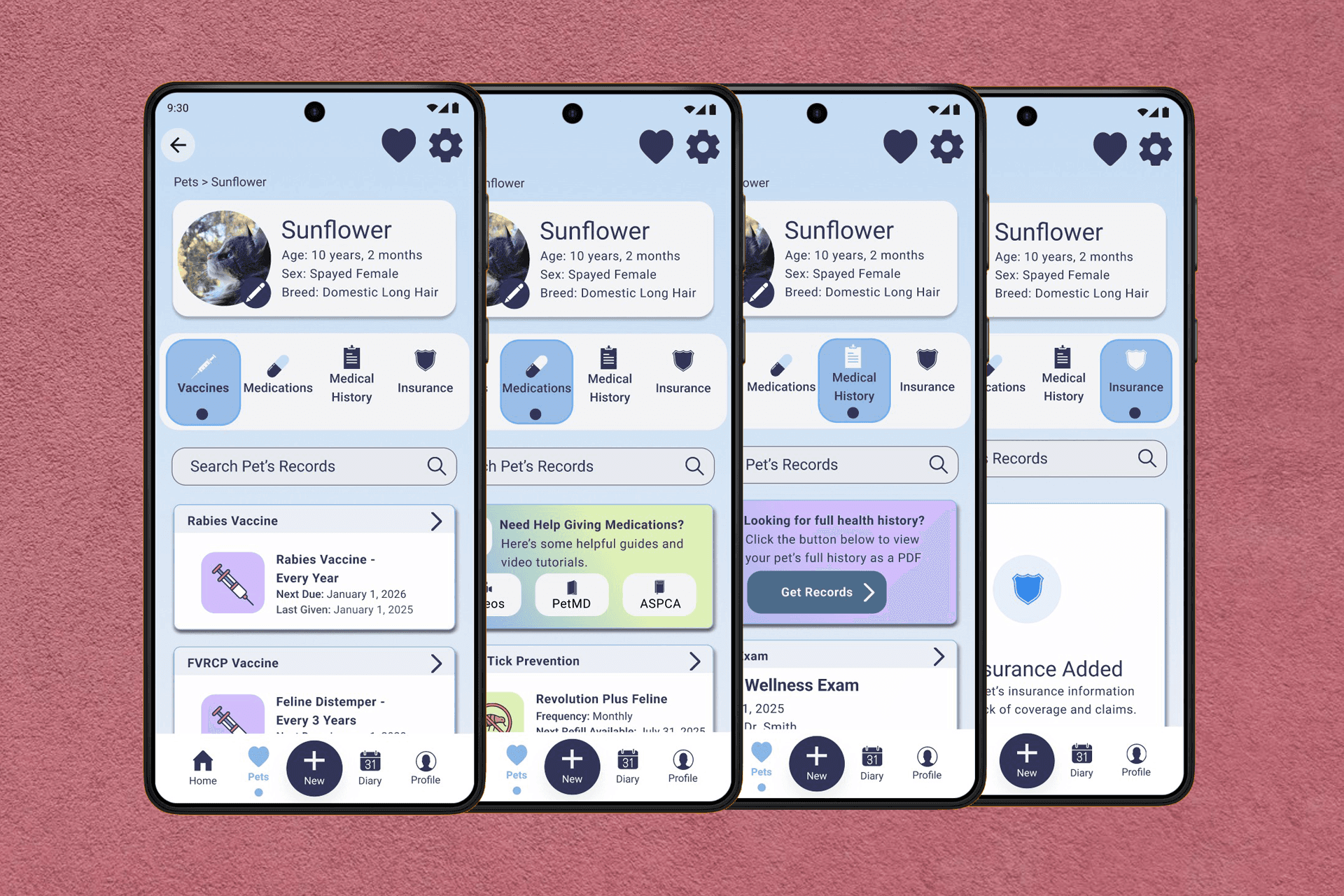
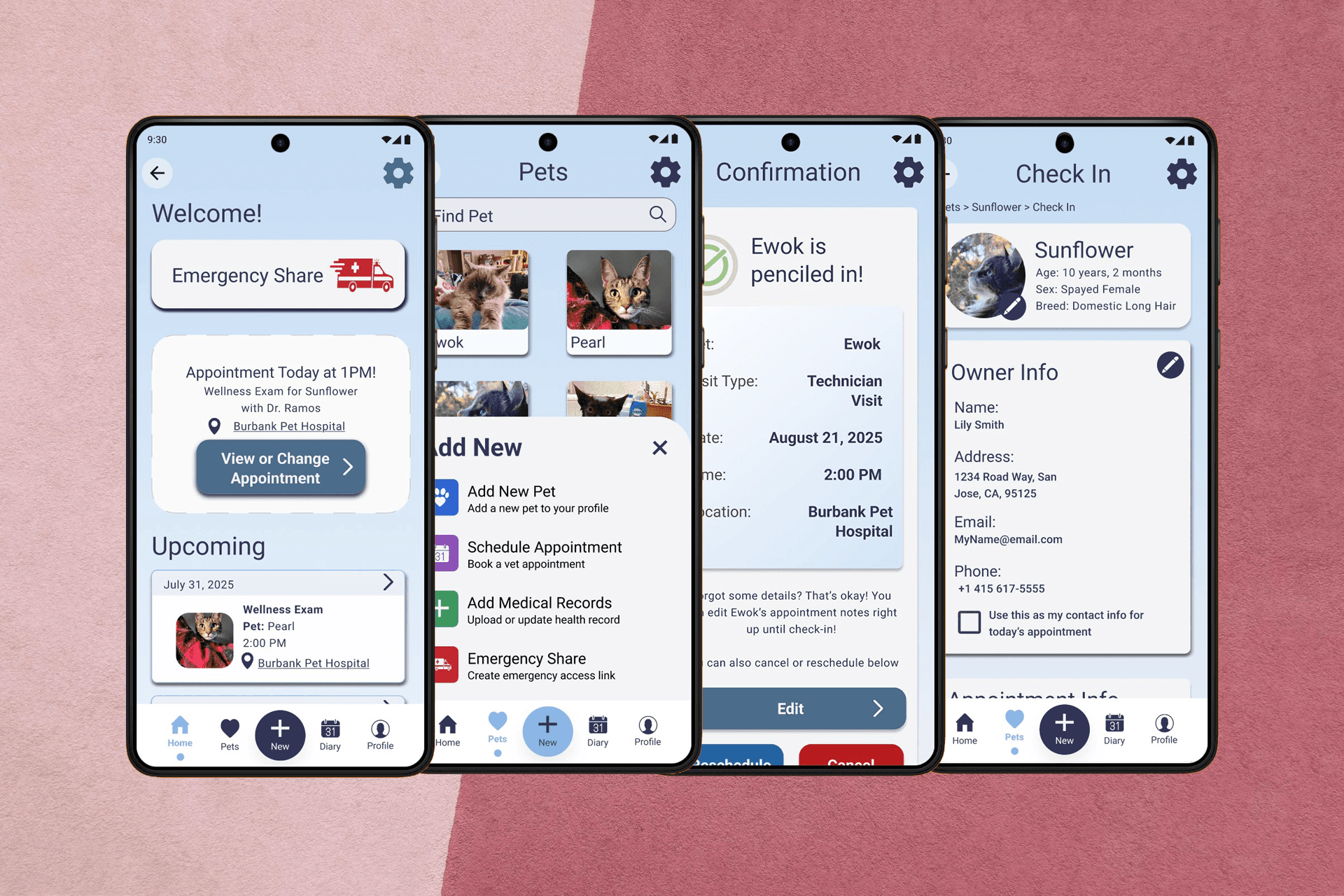
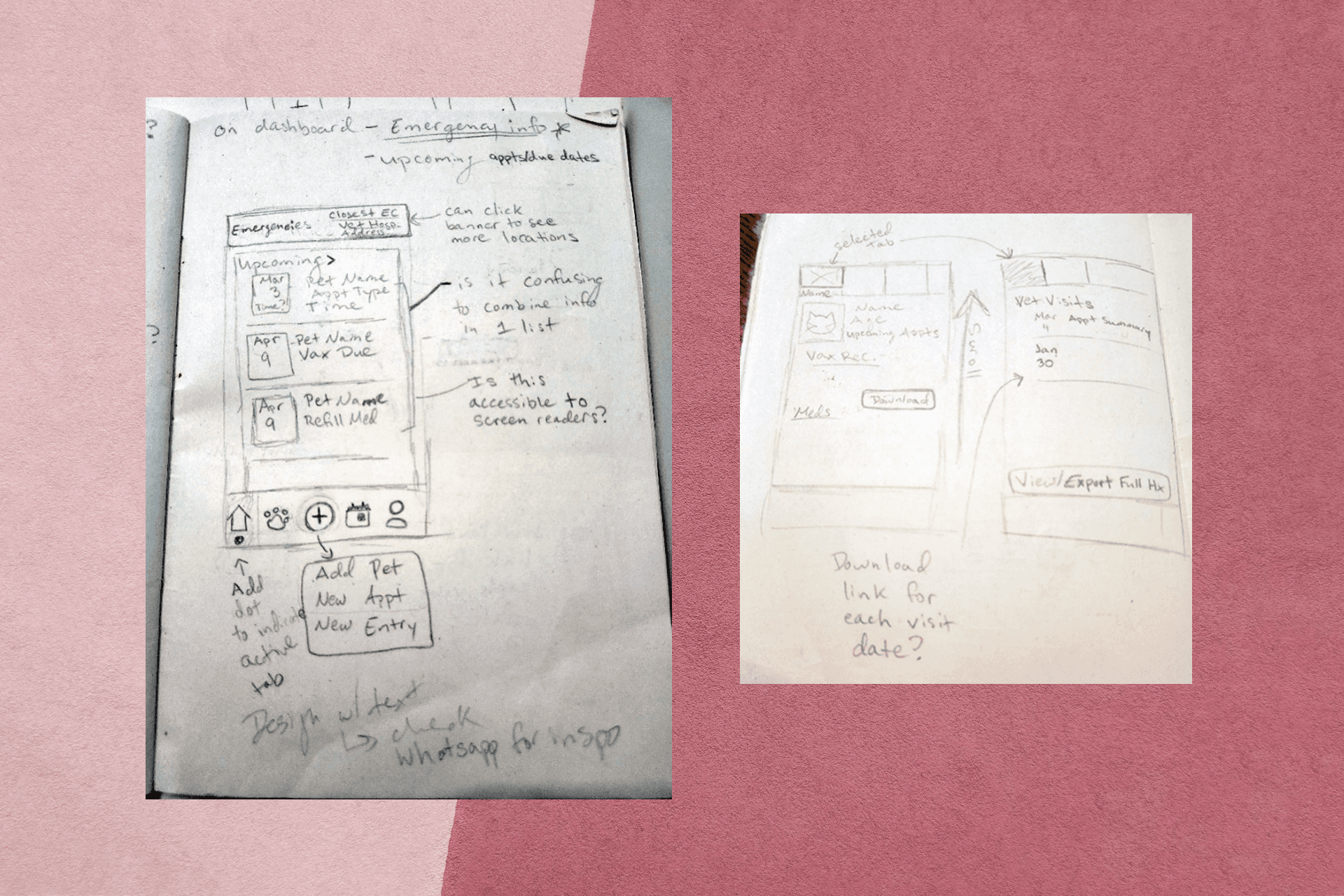
Starting with the dashboard, the most important functionality, emergency sharing, needed to be accessible from the second you open the app. This being the driving force behind its creation, it makes sense that it's easily accessible but not overbearing. Selecting that option opens a short form where an owner can select which pets' information they want to share, the types of information, how far back, and in which format. The most common options are auto-selected so in a true emergency where time is of the essence and emotions are high, an owner only has to select the pet and submit the form. Also accessible from the dashboard are important reminders like those for medications, appointments, or vaccinations. From there, using the navigation bar, an owner can navigate to their pets' profiles to view specific health information (including vaccine history, medications, visit history, and insurance), view a calendar format of upcoming dates, view and change owner information, and add new health documents, schedule appointments, add new pets, and another way to share information if the first option is missed.
Wireframing
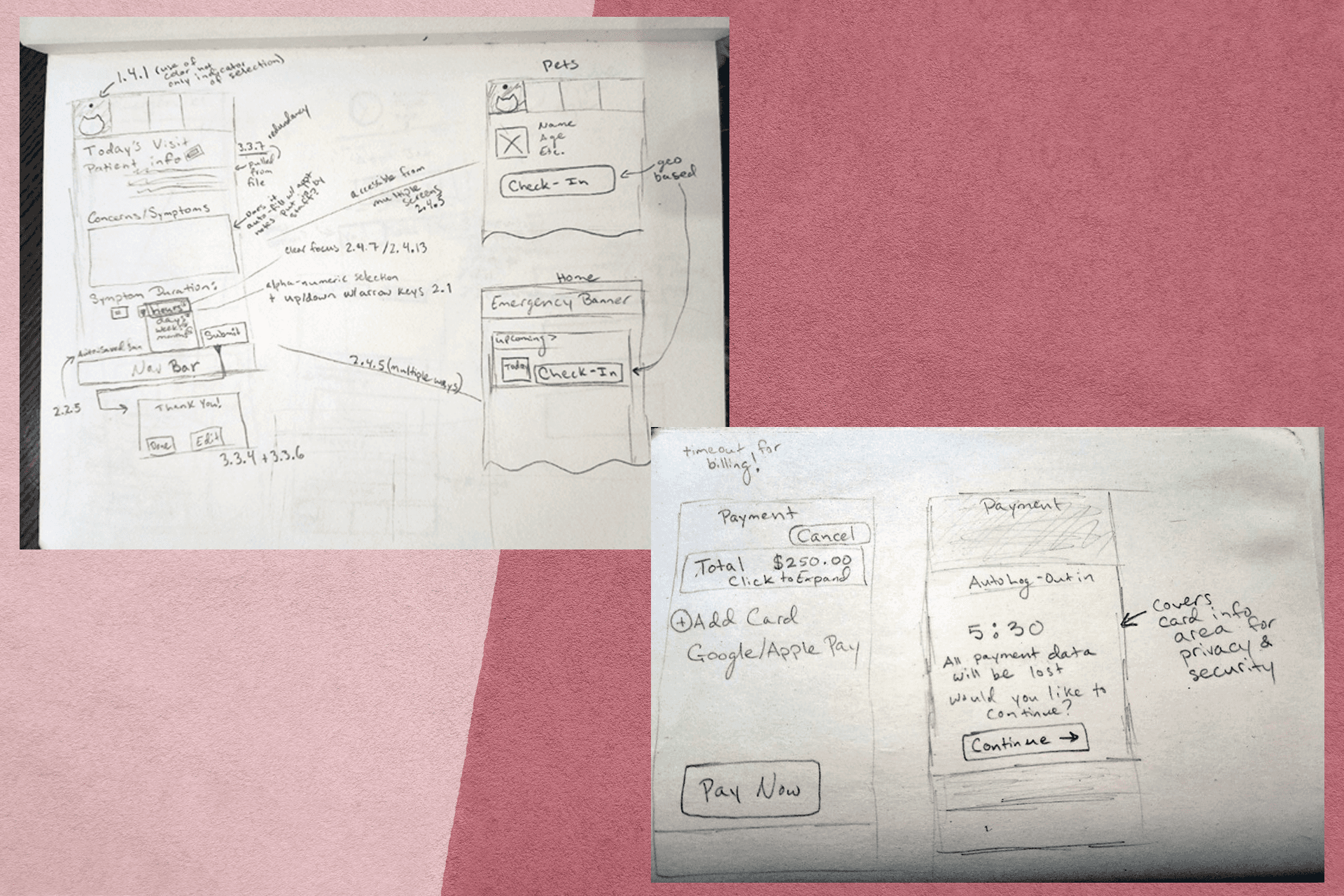
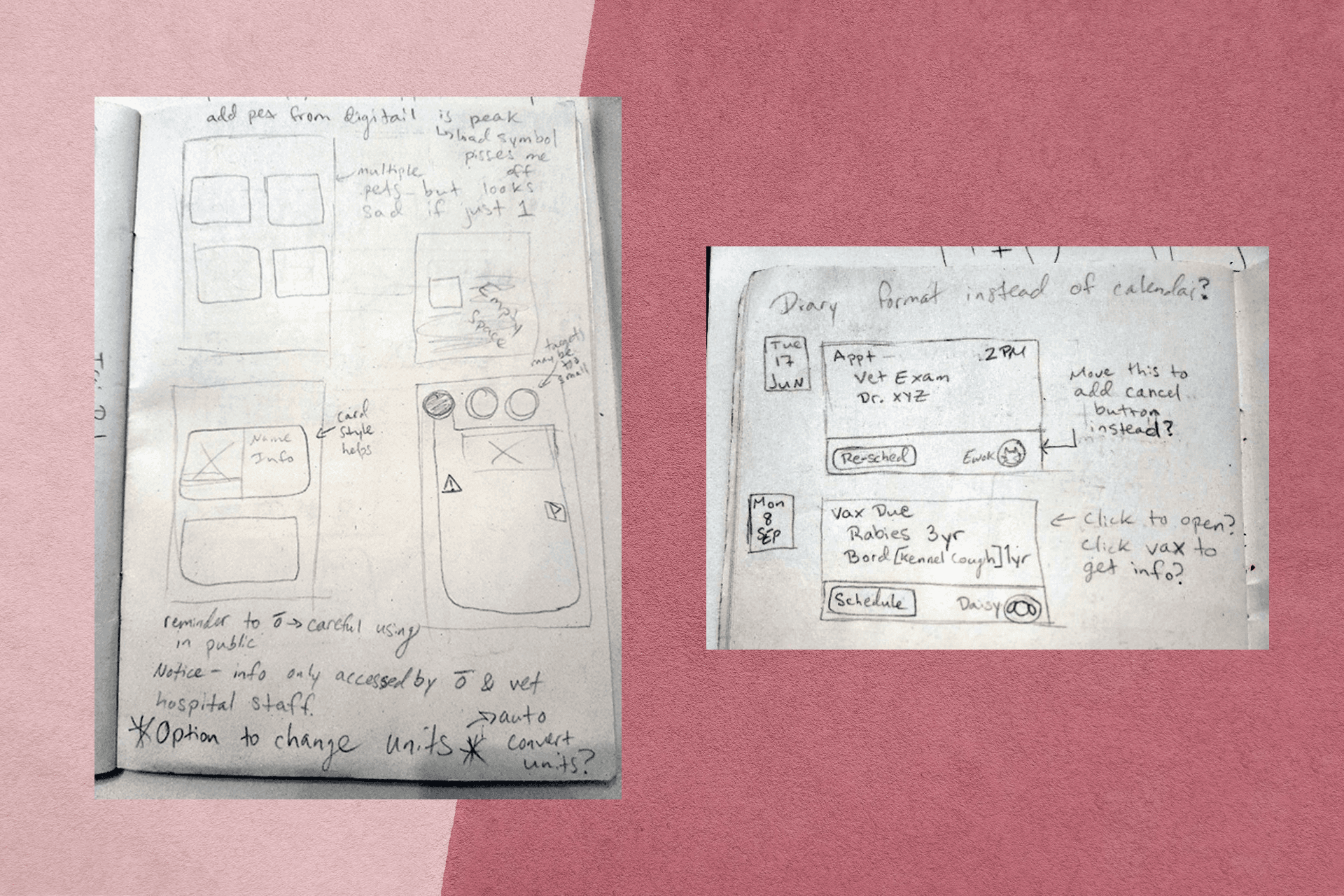
The majority of my wireframing for this project was done by hand. In the spirit of mobile-first accessibility-forward UX design, as the structure of PawMigo took shape, compliance for WCAG 2.2 was noted. This was to ensure that any and all design and structure decisions supported not only user research but accessibility wherever possible. A selection of the wireframes from this project can be seen below. These wireframes feature important decisions like the structure of the profile pages, security features surrounding payment processes, the check-in flow, ways to make calendars more accessible and easier to navigate, dashboard layout, and the prevalence and position of the emergency sharing option.
These wireframes feature varying levels of detail and, in some cases, were sketched during my commute, in between commitments, or generally whenever an idea struck and I didn't want to lose the thought. While many features shifted over time and the resulting app ended up being quite different, the bones of a strong and smooth user experience started with these sketches and notes.
Visual Design
Using A/B testing with low and mid-fidelity prototype screens, I tried out a few different visual styles. In these initial tests, a clean, more clinical but friendly style gave participants a greater sense of trust and comfort in the platform. The visual styles that featured bolder colors, more detailed or "cartoonish" art more heavily throughout the app tested lower and decreased user comfort when imagining using the platform during a stressful time. As such, I opted for a style that felt a bit more like widely used human medical apps to increase the sense of familiarity and overall trust in the system. In this stage, all colour combinations and visual elements were checked for WCAG-compliant contrast and labeling.
Usability Testing
After initial testing was complete and the visual style narrowed down, I pushed forward to a high-fidelity, functional prototype for usability testing. Participants were introduced to think aloud protocol and invited to use the protocol while completed 5 specific tasks. The tasks were based on the following areas of functionality:
Checking a pet in for an appointment
Using the application to view a pet's medication and find tips from the vet about administering the medication
Use the emergency share feature to generate a share file for a specific pet
Schedule an appointment for a specific pet
Add a new pet profile
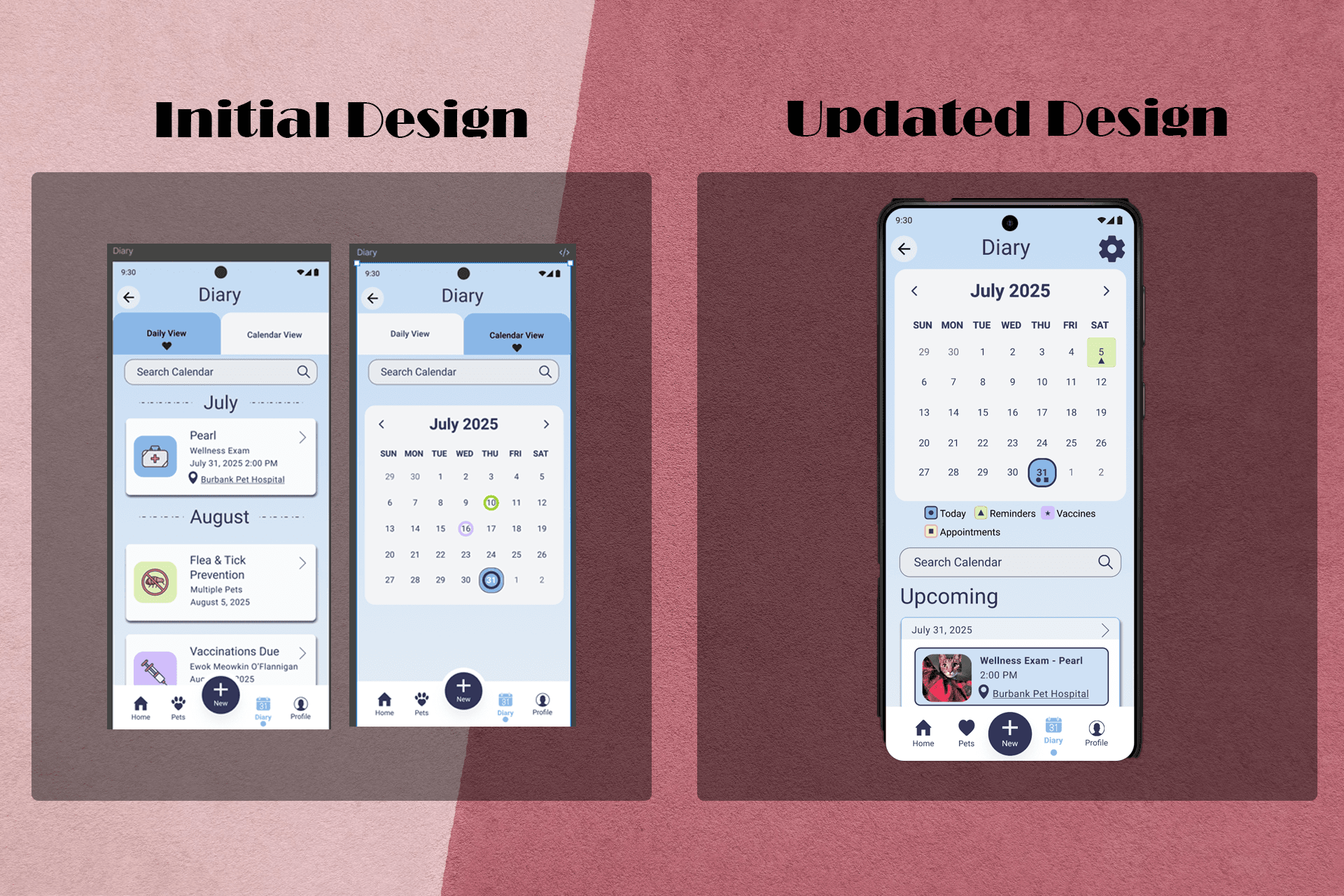
After each task, users were asked to share any insights or feedback they had. At the conclusion of all five tasks, each participant completed a Post-Study System Usability Questionnaire (PSSUQ) and interviewed about their overall experience. The interview consisted of open-ended questions and allowed users to think and speak freely. PSSUQ scoring consists of averaging participant responses to a likert scale going from 1-7 where the lower the score, the better participant performance and satisfaction. The system usability portion averaged to 2.25, the information quality segment averaged 1.25, and the interface quality portion averaged 3.47 from questionnaire responses. To see where further improvements could be made, I reviewed notes and recordings from interviews with participants. From there, I made adjustments where necessary in response to user feedback. For example, the "diary" page originally consisted of two tabs, one with a traditional calendar view and one with the "upcoming" events view. Participants were not as interested in that layout and wanted the information presented on a single page. This change can be seen below.
After all changes were made, I conducted a second round of testing with similar tasks and a mixture of new and previous participants. This round of testing also used recorded interviews and the PSSUQ to assess the changes. During this round of testing, the system usability portion averaged to 1.15, the information quality segment averaged 1.13, and the interface quality portion averaged 1.25 from questionnaire responses. This shows a notable improvement in the user experience and overall quality of the application's usability.