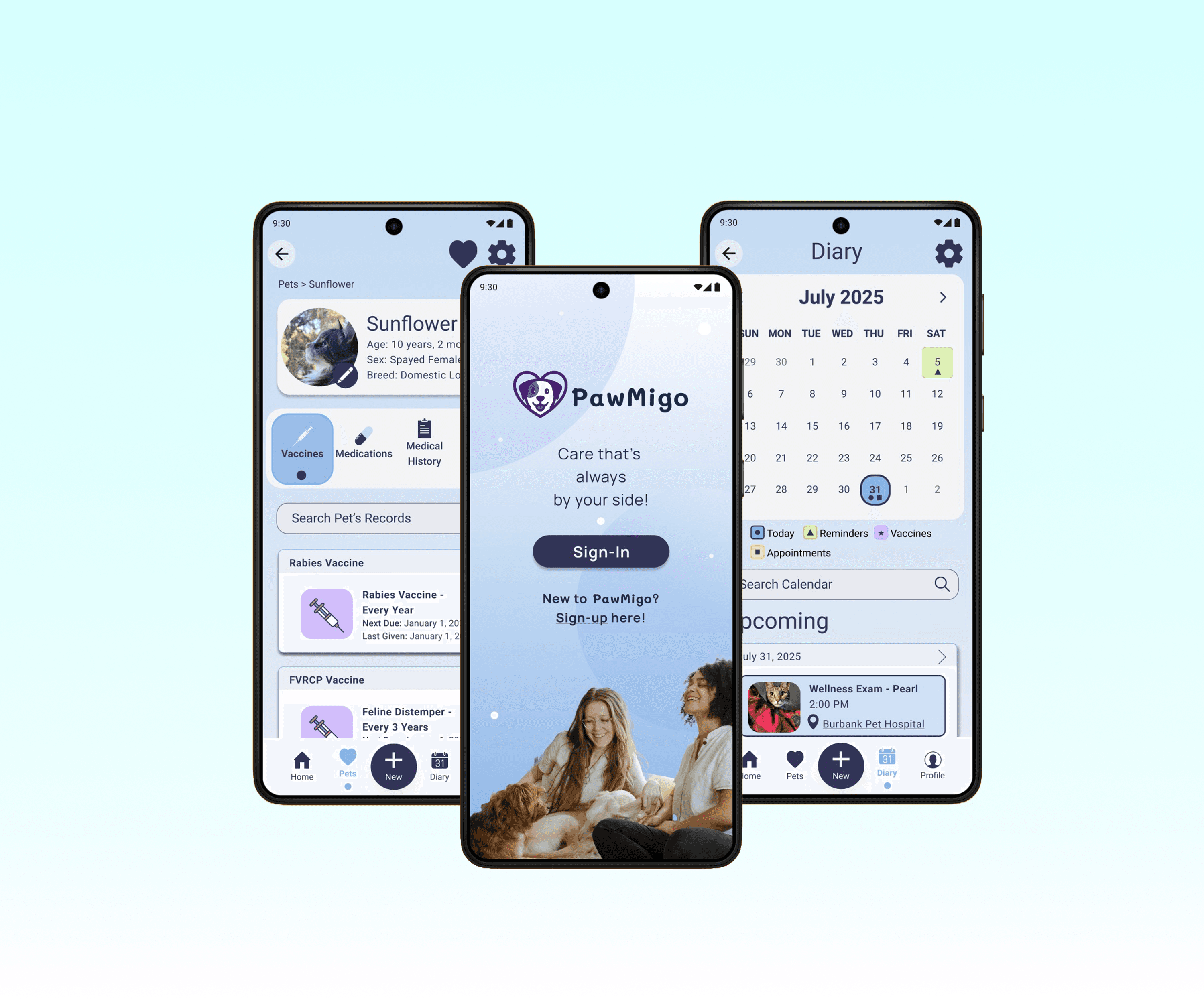
PawMigo - Pet care that's always by your side
Institution
Brimingham City University
Industry
Pet Health
Tools
Figma, Maze, Adobe Creative Suite
Role
Date
January 2025
Time Frame
12 weeks
Introduction
PawMigo started with a late night trip to the emergency vet (EC) with one of my dogs. She was a senior pet with a host of health conditions I had been managing with her primary vet and a few specialists in the area. While she was being stablised, the vet nurses triaged, getting as much relevant information from me as possible. I had print-outs of her medical records, cheat sheets with her current medications, conditions, and vaccinations to make it easier for the emergency staff, but I had a long history in veterinary care and had prepared for this as much as possible. In such an emotional situation, other pet parents may need a little help sharing relevant health information. Having worked in veterinary care, I know that it doesn't end after the emergency appointment. Bringing all of the information together with a pet's care team can be almost as stressful as the EC visit itself. Keeping track of the new information, medication, tests, and results and getting those to the people who need it most after the visit can be difficult and emotional. I wanted to start working on a way to give pet owners a better way to keep track of their pets' information and share it during and after an emergency.
Challenges
Designing for highly emotional situations with potentially sensitive information required consideration of the following:
Cognitive & Emotional Load
Emergencies are emotional and overwhelming making it hard for people to navigate complex systems
Fragmented Information
Pet health data may be split between multiple clinics and formats making it difficult to gather and then share all relevant information quickly
Data Privacy
Pet health information often contains private data subject to privacy laws requiring special attention
Additionally, as a solo project, I had to balance research, design, and development within a limited timeframe. In this case, the object was to prioritise accessibility alongside functionality.
User Flows

One of the primary user flows used to structure initial testing phases. The flow shown above includes the sign up/log in as well as the emergency share function. This user flow is expanded upon on in my information architecture, but this basic flow aimed to make this part of the process as simple as possible.
Sketches
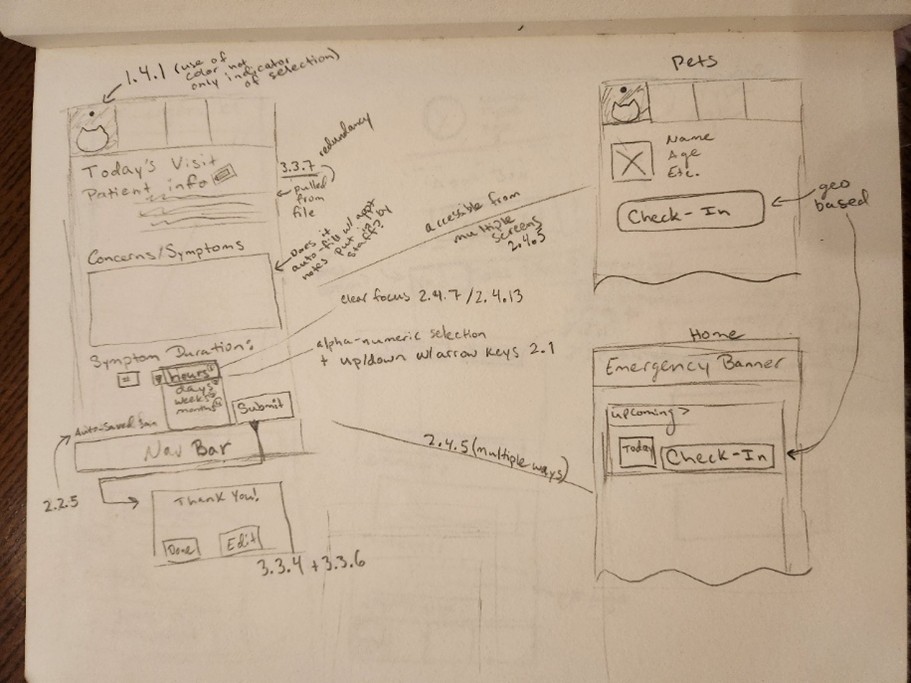
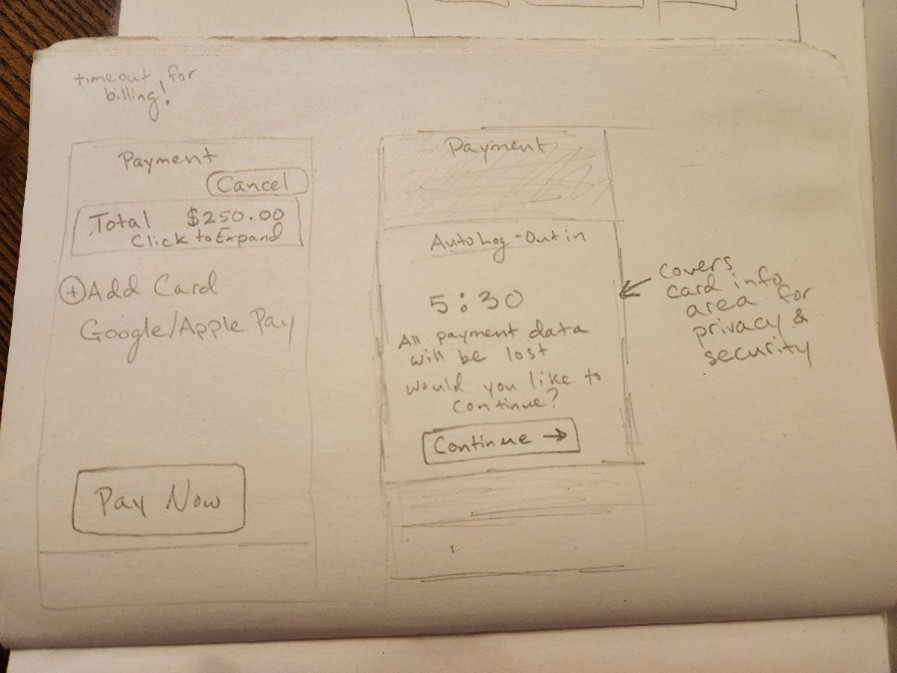
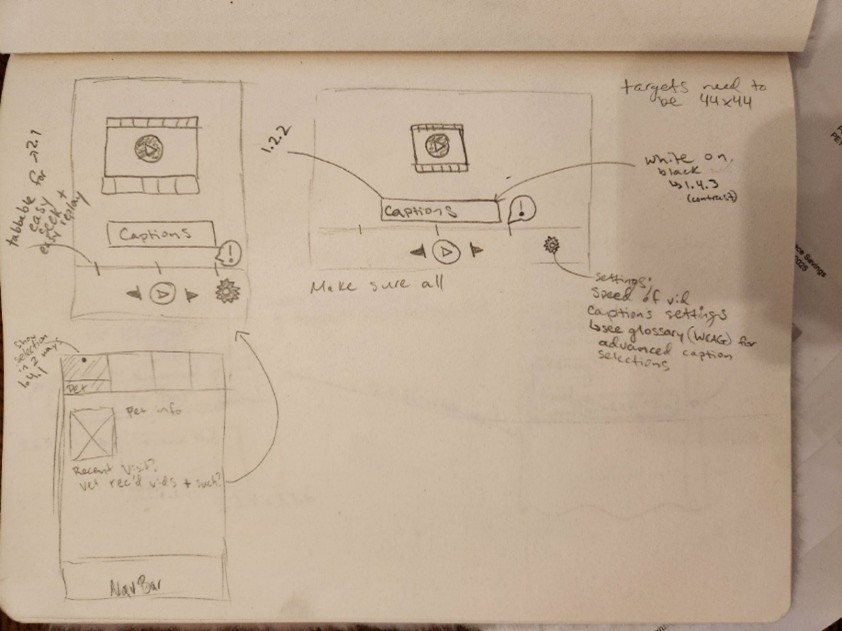
A selection of my initial sketches where I worked out the initial details before building mid and high fidelity prototypes.
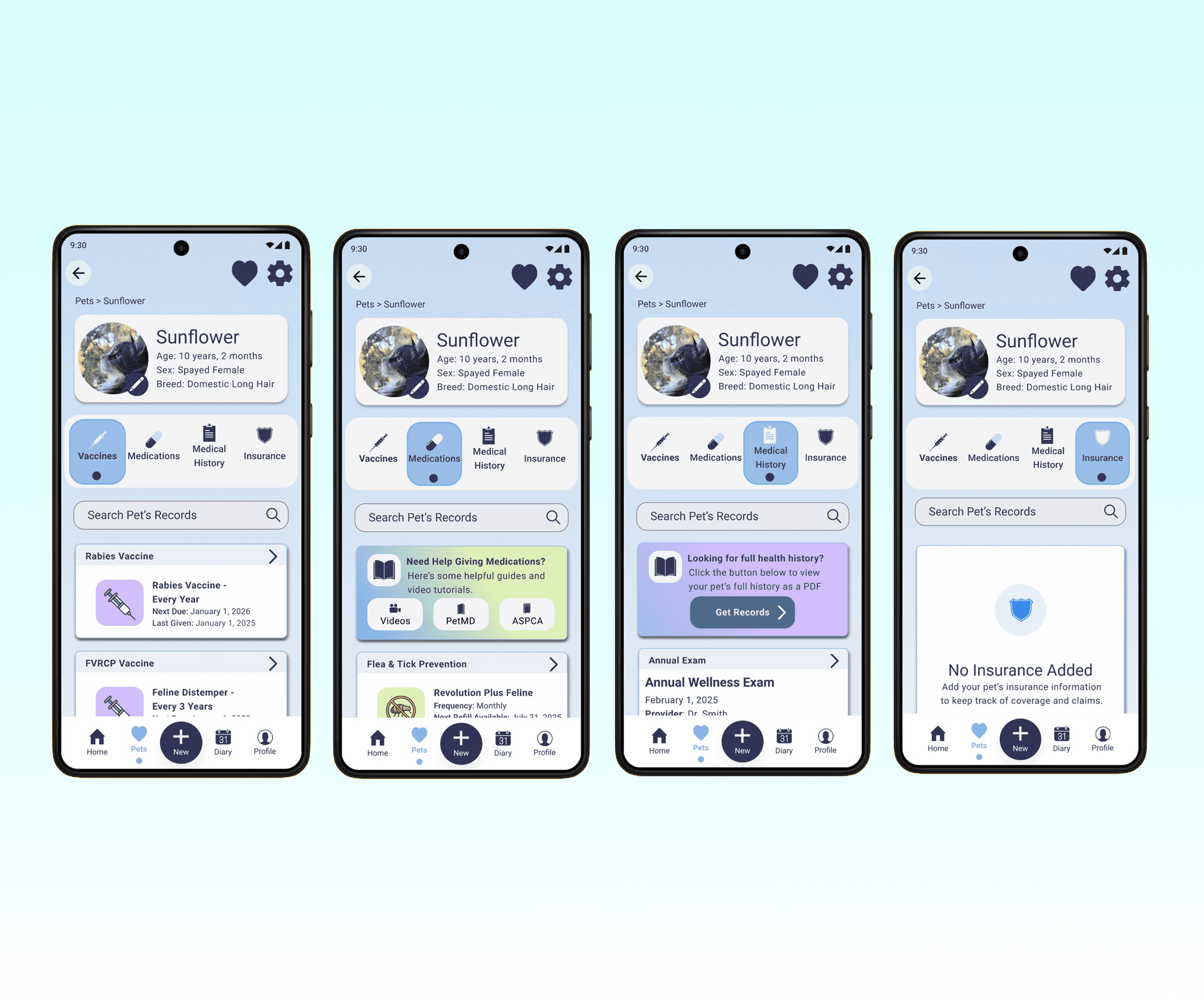
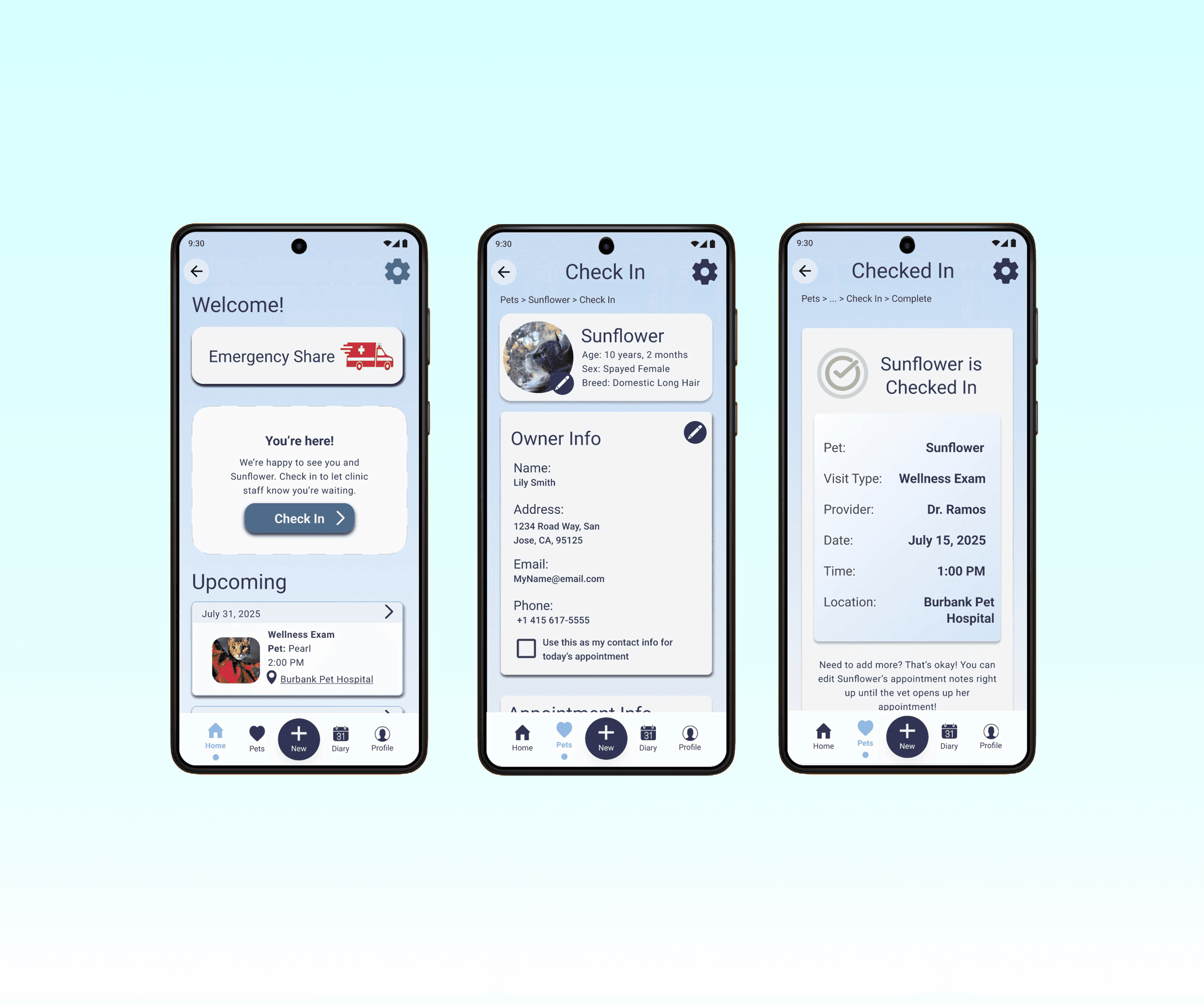
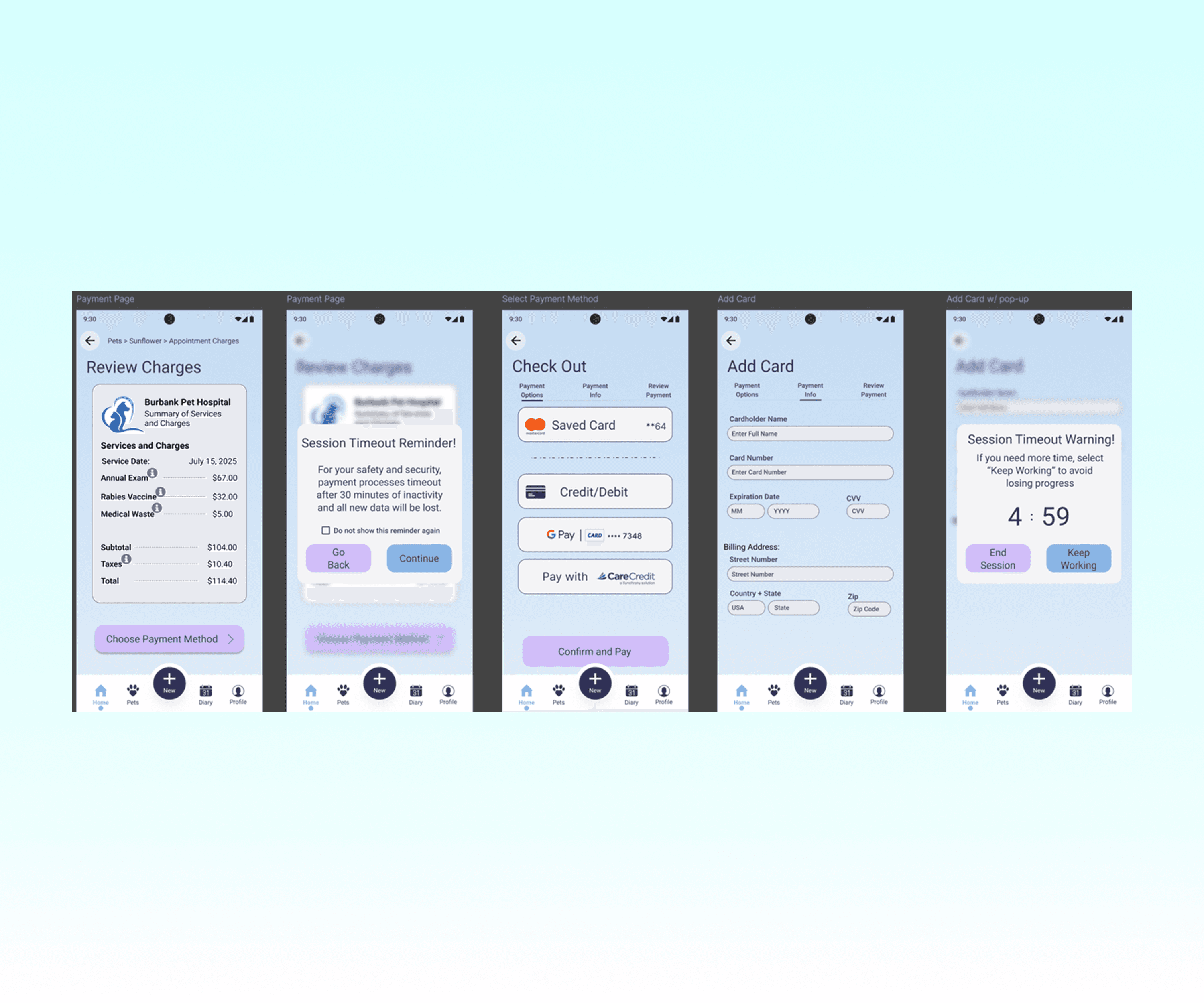
App Screens
A look at a few screens from PawMigo's high fidelity stage.
Prototype Walkthrough
Accessibility
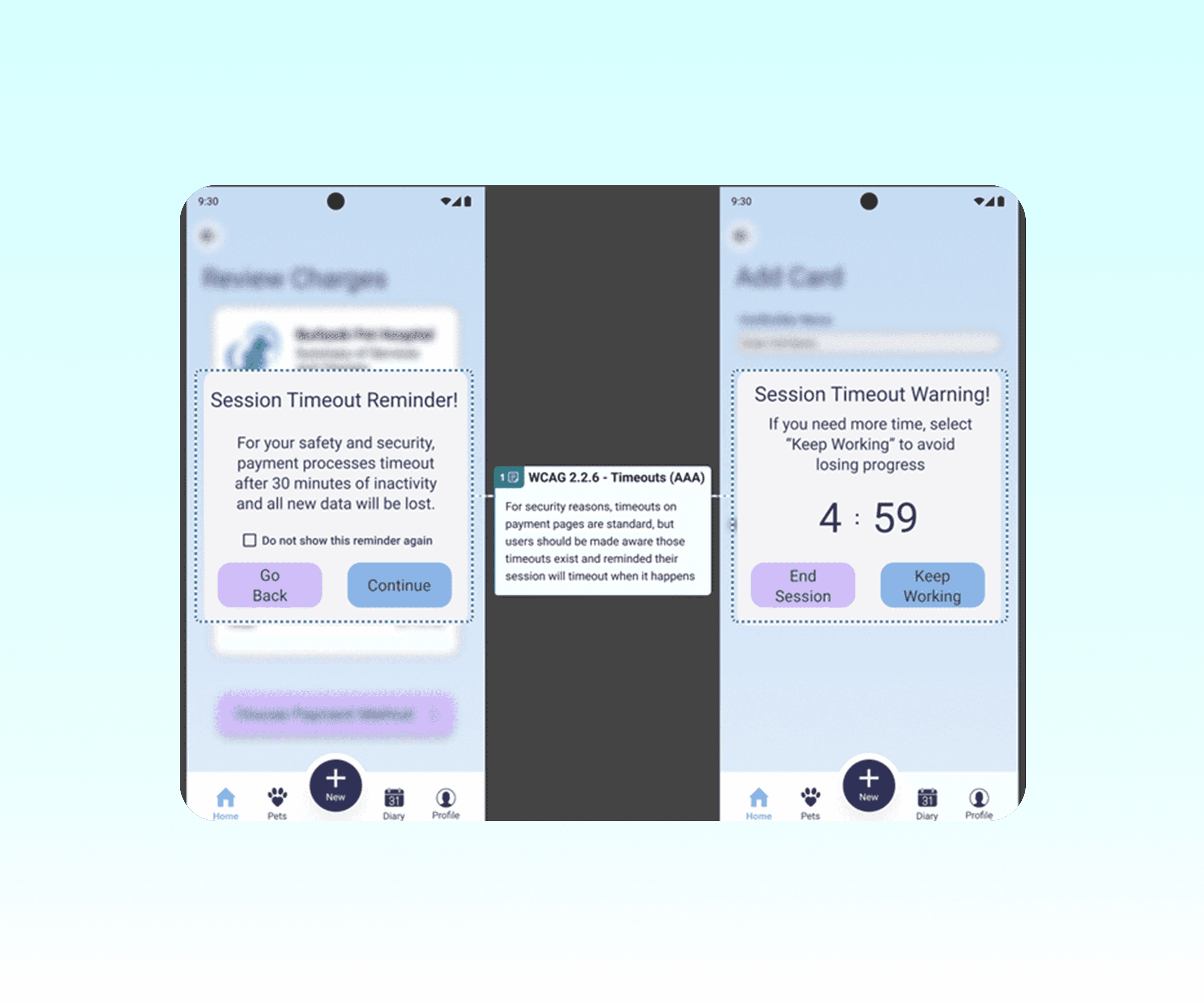
PawMigo was designed with accessibility at its core. Below are some of the deliberate design choices made and, where applicable, which WCAG 2.2 success criterion informed or supported those decisions.
Inclusive Design for Physical Disabilities | Inclusive Design for Visual Disabilities |
|---|---|
|
|
Inclusive Design for Auditory Disabilities | Inclusive Design for Cognitive Disabilities |
|---|---|
|
|
Results
The participants were pleasantly surprised with the ease with which they learned to use Pawmigo. The majority of the participants were relatively pleased with the overall functionality of the application and this was evident in the results from the PSSUQ evaluations. The average overall PSSUQ rating was 1.30 and the system usability (averaged 1.25), information quality (averaged 1.25), and interface quality (averaged 1.47) followed that trend. The area where Pawmigo struggled the most both in the PSSUQ evaluation and the subsequent interviews was in its color scheme. While participants were not particularly offended by the blue and purple tones used, numerous participants shared that it felt “cold” and “clinical”. Many also shared that the application could benefit from some more icons or cute animal characters. As for the functionality, the number one request was to make the setting menu easier to access. Participants who opted to change the application into dark mode were not fond of having to go into the account menu to find the application’s settings.